PLC Basic Principles and Wiring

I. Introduction and Origin of PLC
1. Introduction to PLC
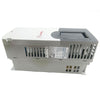
PLC stands for Programmable Logic Controller. Essentially, it's an industrial control computer that has undergone initial development. It not only has a computer kernel but also incorporates many components to make it suitable for industrial control. However, it's only a general-purpose machine and cannot be used on any specific industrial equipment without secondary development.
However, secondary development of programmable controllers is very easy, and they have many advantages, including small size, high reliability, strong anti-interference ability, comprehensive control functions, strong adaptability, and simple installation and wiring.
Generally, electrical engineers need to master: PLC programming, touch screen programming (Mitsubishi PLC-Xinje touch screen communication (programming)), servo positioning control (Mitsubishi PLC positioning control theory), and analog signals (temperature, pressure, PID regulation, etc.).
Senior electrical engineers also need to master: vision recognition, network communication, and upper-level computer technologies such as C#, WinCC, and LabVIEW.
2. PLC Origins
The initial purpose of PLCs was to replace mechanical switching devices (relay modules). Imagine the complexity of wiring and future maintenance when using a large number of electrical components (intermediate relays, time relays, etc.) in a large and complex device.
Since 1968, PLCs have gradually replaced relay control boards. Modern PLCs have more functions, extending their application from single process control to the control and monitoring of the entire manufacturing system.
II. Basic Components of a PLC
1. Basic Unit Components
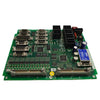
The PLC mainly consists of an MCU, input/output interfaces, a power supply, and a programming device.

1) MCU Module
The MCU module consists of a microprocessor and memory. It reads various digital input signals (hereinafter referred to as input signals); reads program instructions, compiles and executes the instructions; and finally sends the calculation results to the output terminal to control the external load. Therefore, the MCU is the core of the entire PLC, equivalent to the brain of a computer. For the differences between PLCs and microcontrollers, please refer to: Understanding the Differences Between PLCs and Microcontrollers in 3 Minutes.
2) Input and Output Modules
(1) The input module receives and acquires input signals, inputting digital signals generated by buttons, limit switches, etc., to the MCU; and inputting analog signals provided by potentiometers and various transmitters to the MCU.
(2) The output module is used to control external loads, including actuators such as contactors and solenoid valves, and display and alarm devices.

3) Power Supply Module
The PLC generally uses 220V AC power. A switching power supply module converts the externally supplied power into DC power required by each unit within the system. Some power supply units also provide 24V isolated DC power for use with passive field switches connected to the input modules.
4) Programming Equipment
Generally, this is a combination of a computer and a programming cable. The computer connects to the programming cable, which in turn connects to the PLC.
2. Expansion Modules
In addition to the basic units, the PLC also has expansion modules (such as input/output modules, communication modules, analog modules, etc.) and special function modules to connect to achieve more functions. These will not be discussed here; please refer to: Xinje XC Series PLC - Programming. For physical connection details, please refer to: Salt Spray Test Equipment Repair - Omron PLC.
III. External Wiring of PLC
1. NPN and PNP Wiring
Source and sink types refer to the common point COM terminal of the input module.
Sinking type means the current leaks out from the COM terminal. That is, the COM terminal is connected negative, the current flows from the outside through the IO.x point into the inside, and then leaks out from the common point COM to form a loop, as shown in Figure 3.1.1. This belongs to NPN type.
Source type means the COM terminal is connected positive, the current starts from the COM terminal, flows through the internal loop, and exits through a set of signal points, as shown in Figure 3.1.2. This belongs to PNP type.
1) NPN and PNP Type PLCs
For inputs using +24V as the common point: When a high level (+24V) is input to the PLC, the corresponding normally open contact closes, and the corresponding normally closed contact opens.
For inputs using 0V as the common point: When a low level (0V) is input to the PLC, the corresponding normally open contact closes, and the corresponding normally closed contact opens.


2) NPN and PNP Sensors
NPN and PNP sensors utilize the saturation and cutoff states of transistors to output two states, classifying them as switch-type sensors. However, their output signals are diametrically opposed: high and low levels. A PNP output is high (1), while an NPN output is low (0).

① PNP has a small forward voltage drop but low reverse withstand voltage; NPN has a large forward voltage drop but high reverse withstand voltage.
② Schematic diagram of PNP and NPN sensor interfaces
When the input sensor is a proximity switch, as long as the output driving force of the proximity switch is sufficient, the sinking input PLC input terminal can be directly connected to the output of an NPN open-collector proximity switch.

However, when using a PNP open-collector proximity switch, the resistance between the internal output terminal and 0V is very high, insufficient to provide the driving current required by the optocoupler. Therefore, a pull-down resistor is needed. After adding the pull-down resistor, it's important to note that the PLC's internal input signal is reversed compared to the proximity switch's signal state. When the proximity switch is active, the upper end of the pull-down resistor is 24V, the optocoupler has no current, and the internal signal is "0". When not active, a current loop is formed between the PLC's internal DC 24V and 0V, through the optocoupler, current-limiting resistor, and pull-down resistor, via the common terminal COM, resulting in an input of "1".
The pull-down resistor value is primarily determined by the PLC's input optocoupler's drive current and the current-limiting resistor value in the PLC's internal input circuit. Typically, its value is 1.5kΩ to 2kΩ, calculated using formula 1: R ≤ (Ve-0.7)/Ii-Ri
Where: R—Pull-down resistor (kΩ)
Ve—Input power supply voltage (V)
Ii—Minimum input drive current (mA)
Ri—PLC internal input current-limiting resistor (kΩ)
In formula 1, the LED's forward voltage is taken as 0.7V.
Or, use Formula 2: R ≤ Input current-limiting resistor / (Minimum ON voltage / 24V) - Input current-limiting resistor.
When the input sensor is a proximity switch, as long as the output driving force of the proximity switch is sufficient, the PLC input terminal of the source input can be directly connected to the output of the PNP open-collector proximity switch.
Conversely, when using an NPN open-collector proximity switch, the high resistance between the switch's internal output and 24V makes it insufficient to provide the drive current required by the optocoupler. Therefore, a pull-up resistor is needed.
After adding the pull-up resistor, it's important to note that the PLC's internal input signal is reversed compared to the proximity switch's signaling state. When the proximity switch is signaling, the upper end of the pull-up resistor is 0V, the optocoupler has no current, and the internal signal is "0". When not signaling, a current loop is formed between the PLC's internal DC 24V and 0V, through the optocoupler, current-limiting resistor, and pull-up resistor, via the common terminal COM, resulting in an input signal of "1".
The value of the pull-up resistor is primarily determined by the drive current of the PLC's input optocoupler and the current-limiting resistor value in the PLC's internal input circuit. Typically, it ranges from 1.5 to 2kΩ, and its calculation formula is the same as that for a pull-down resistor.
----------------
For grating protection devices (Summary of Industrial Environmental Sensors, Part 4: Photoelectric Sensors): Generally, a high-level PNP signal is active, while a low-level signal at the PLC input disables the power. The grating protection device remains active when deactivated.
2. Mitsubishi PLC NPN and PNP Settings
The image below shows the S/S settings for a Mitsubishi PLC, which can be configured as either sinking or sourcing.

-
Posted in
Technical knowledge