Common Fanuc Circuit Board Failures and How to Diagnose Them
Common Fanuc Circuit Board Failures and How to Diagnose Them
After ten or fifteen years of continuous service, Fanuc circuit boards start showing predictable failure patterns. Capacitors dry out. Solder joints crack. IPMs blow. The alarm codes lighting up the operator panel point at the symptom, not the cause — and the real diagnostic work happens between the alarm message and the part number on the replacement board. This guide covers the failure modes that actually show up on the bench, the visual signs to look for first, and a working diagnostic sequence that doesn't waste hours on the wrong board.
1. The Five Failure Modes That Account for Most Field Returns
Out of nine common Fanuc CNC board faults, five make up the bulk of repair-shop returns:
| Failure mode | Frequency | Typical symptom |
|---|---|---|
| Power supply failure | Very common | CNC won't boot, intermittent reboots, low DC rail voltage |
| Capacitor aging | Very common | Random freezes, ripple-related alarms, visible bulged caps |
| IPM / power module burnout | Common | Servo alarm 449 / 603 IPM alarm, drive shuts down hard |
| Drive signal abnormality | Common | Motor runs rough, position errors, unstable feedback |
| PCB short circuit | Less common | Fuse blows, board draws excess current, no power-on |
Other failures we see less often: motor overload (alarm 430), wiring/connector looseness, inadequate cooling causing premature aging, and EEPROM corruption losing parameters. Most of these are downstream of the five above — fix the root cause and the symptoms clear.
2. Visual Signs — What to Look at First
Before powering up a suspect board, do a careful visual inspection. About 30–40% of failures can be confirmed at this stage without instruments.
Component appearance:
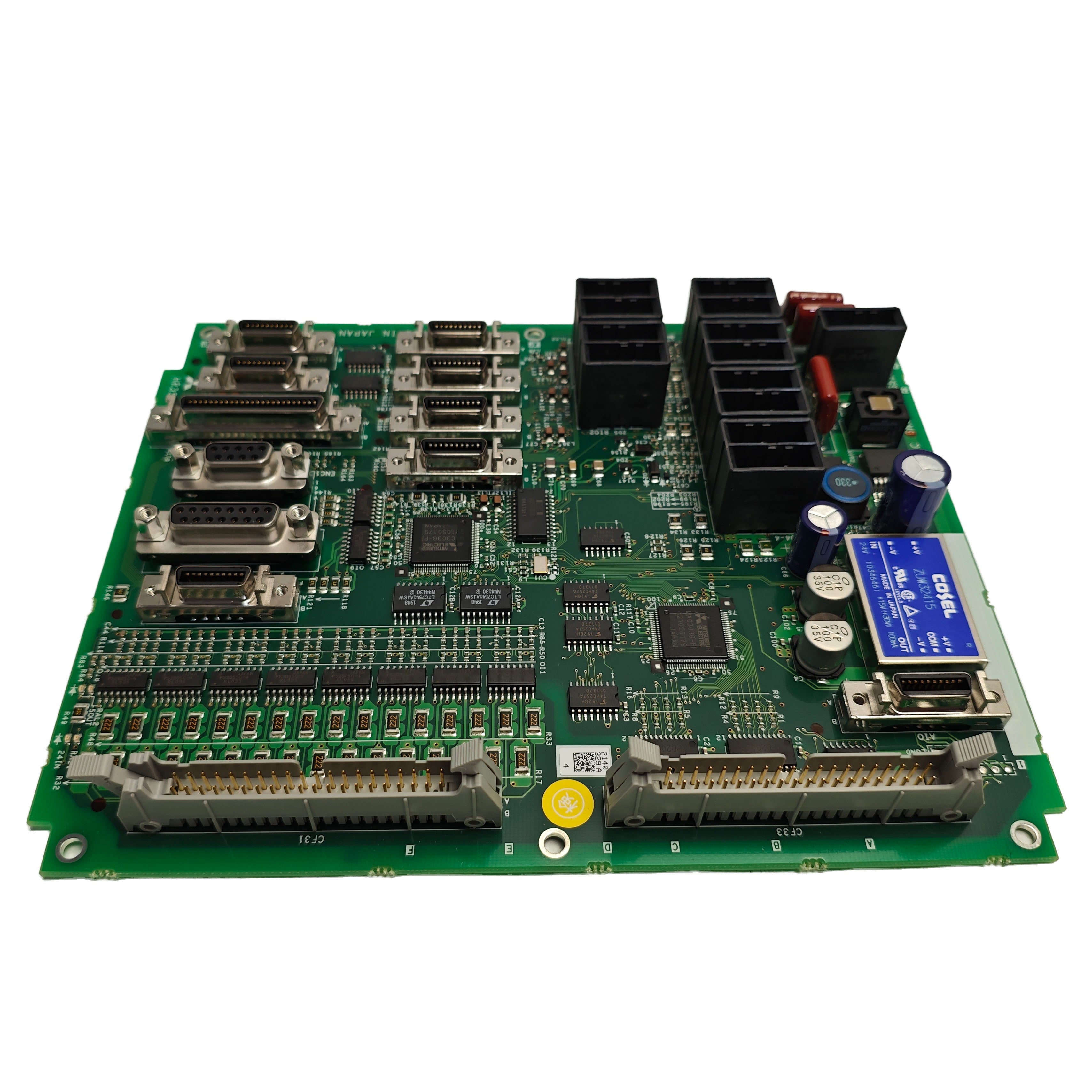
- Capacitors bulging or leaking — top dome popped, brown residue at the base. Classic overheating. Aluminium electrolytics account for around 80% of component-level failures on aged boards.
- Resistors blackened — low-value resistors burn dark when overstressed. High-value resistors can fail silently with no visible mark.
- Chip cracks or burnt patches — IC overheat signature. Power-management chips and IPM modules are the usual victims.
Trace and solder issues:
- Copper trace burnt — overcurrent damage, often near the input or DC bus area
- Via copper ring missing — usually from mechanical stress or overcurrent
- Cold solder joints — grey-white surface, rough texture; common cause of intermittent failure
- Solder bridges — accidental shorts after repair work
Smell test:
- Burnt-plastic smell + component overheating → look at the immediate area
- Fishy or ammonia smell → leaked electrolyte from a capacitor
Sound:
- Inductor whine or relay buzzing → contact or load issues
A board with multiple bulged caps, a discoloured area near the power section, and the smell of leaked electrolyte essentially diagnoses itself. Photograph everything for the repair record.
3. Alarm Codes That Point at the PCB
Fanuc CNC alarm codes are specific enough that several point directly at PCB-level problems. The ones we see most often when the root cause turns out to be a circuit board:
Encoder and feedback circuit (built-in encoder):
| Alarm | Description | Board-level meaning |
|---|---|---|
| 361 | Pulse encoder phase abnormal | Encoder PCB or amplifier feedback circuit |
| 364 | Soft phase alarm | Feedback signal integrity issue |
| 365 | LED abnormal (encoder) | Optical LED degraded inside encoder |
| 366 | Pulse error | Feedback channel fault |
| 367 | Count error | Counter circuit issue on drive |
| 368 / 369 | Serial data / transmission error | Encoder cable or interface IC fault |
Encoder (separated / external):
| Alarm | Description |
|---|---|
| 380–387 | Same family as 361–369 but on the separated encoder |
Servo amplifier and power section:
| Alarm | Description | Board-level meaning |
|---|---|---|
| 417 | Parameter error | EEPROM corruption suspect |
| 421 | Semi-to-full error too large | Position loop integrity issue |
| 430 | Servo motor overheat | Often thermal sensor or feedback issue |
| 432 | Converter control power voltage low | Control PSU on drive PCB failing |
| 433 | Converter DC link voltage low | Bus capacitor or charging circuit |
| 436 | Soft thermal (OVC) | Sustained overcurrent — IPM stress |
| 438 | Inverter motor current abnormal | Current sensor or driver circuit |
| 439 | Converter DC link overvoltage | Regen circuit failure |
| 440 | Deceleration power too large | Regen resistor or drive fault |
| 441 | Current offset abnormal | Current sensor calibration drift |
| 444 / 601 | Internal / heatsink cooling fan stopped | Fan failure — thermal damage imminent |
| 445 / 447 | Software / hardware disconnection | Cable or feedback IC fault |
| 448 | Feedback inconsistent | Two feedback paths disagree |
| 449 / 603 | Inverter IPM alarm / IPM (OH) | IPM module failed — most common power-stage fault |
| 453 | α pulse encoder software disconnection | Serial encoder comm dropped |
Alarm 449 is the one repair shops see most often. The Intelligent Power Module on the servo or spindle amplifier has either shorted internally or hit overtemperature shutdown. Almost always means the IPM gets replaced — or the amplifier swapped out at module level.
4. Diagnostic Procedure
A working sequence that gets to the answer fastest:
Step 1 — Read and record the alarm code. Don't power-cycle to "clear" the alarm before noting which one fired. Many alarms have history records inside the CNC diagnostic pages; check those for intermittent patterns.
Step 2 — Visual inspection. Power off, wait 5 minutes for capacitor discharge, open the cabinet. Inspect the board under good light. Note any visible damage.
Step 3 — Check input power and supply rails. With a multimeter:
- Three-phase input AC380V (within −15% to +10%, 50/60 Hz)
- Transformer output and fuses FU1, FU2
- Switching power module status LED (green = OK; off = supply or load fault)
- Control circuit relay KA1 contact behaviour
Step 4 — Instrument-level checks on the board.
- Multimeter: Resistance from power rail to ground below 100 Ω → strong short-circuit indicator
- Oscilloscope: Crystal oscillator waveform — distortion causes clock chaos. Check DC rail ripple — above 50 mV peak-to-peak can cause spurious resets
- Compare measured DC rails against expected: +5 V, ±15 V, +3.3 V, all within ±5%
Step 5 — Function isolation. Two practical techniques:
- Minimum system method — strip the board back to its core circuit, then add external connections one at a time until the fault returns. Isolates which external interface triggers it.
- Bisection method — disconnect sections in halves and re-test, narrowing the fault region quickly.
Step 6 — Short-circuit location. If a short is suspected but not visible, disconnect chips one at a time until the short clears — that identifies the failed device. A thermal camera makes this dramatically faster: power up briefly and the failed area lights up before serious damage occurs.
Step 7 — Decision. Component-level repair (recap, IPM replacement, individual chip swap), refurbished board replacement, or new genuine board. Decide based on board age, criticality of the machine, and how soon the equipment needs to be back in service.
5. Common Diagnostic Mistakes
A few that come up over and over:
Blind power-on after a fault. Powering up a board with an undiagnosed short circuit usually makes the damage worse. Always check power-rail-to-ground resistance first.
Violent desoldering of BGA chips. BGAs need controlled hot-air reflow with even heating. Hitting them with a soldering iron damages adjacent traces and lifts the chip. If BGA rework is needed and you don't have the equipment, send the board to a shop that does.
Measuring floating signals without isolation. Direct measurement on floating circuits without proper isolation can damage the meter, the board, or the technician. Use a differential probe or isolation transformer.
Skipping the cooling check. The board overheated for a reason. Replace the board, leave the failed fan, and the new board fails in 6–12 months. Always verify cooling fan operation, cabinet airflow, and intake filter condition before signing off the repair.
Ignoring secondary aging. When a board is 15+ years old, the failed component you replaced isn't the only tired one. Other electrolytics, the backup battery, fan bearings, and connector contacts are all on the same timeline. Address the environment, not just the symptom.
6. Prevention
What actually reduces the chance of a board failure mid-production:
- Clean cabinet filters and check fans every 6 months. Blocked filters drive cabinet temperature up by 10–15 °C, which roughly halves capacitor life.
- Monitor temperature and humidity trends. Slow upward drift over months warns you before a 701 overheat alarm shuts the machine down.
- Replace power modules and other wear-prone components at scheduled intervals. Don't wait for failure on critical machines.
- Software / firmware updates. Keep CNC software at current revision where the vendor supports it.
- Operator training. Most "random" PCB failures trace back to a procedure that stressed the system — pulling power during a write, hot-plugging cards, jumping voltage rails.
For high-value machines, keeping one tested refurbished board on the shelf as a spare costs a fraction of a single day of unplanned downtime.
FAQ
Q: My CNC won't power on at all. Where do I start? Check the three-phase input voltage first. Then transformer output and primary fuses. Then the switching power supply module LED. Don't open the control boards before confirming AC input is healthy.
Q: I'm seeing servo alarm 449 — is the whole drive scrap? Usually the IPM module inside the drive has failed. In some drives the IPM is replaceable at module level; in others the whole amplifier needs swapping. Either way, also check the cooling fan and capacitors — a failed IPM often has a root cause upstream.
Q: A board works at room temperature but fails after the machine warms up. What's that? Classic signature of cracked solder joints or marginal capacitors. The connection or capacitance is borderline at room temp and falls out of spec when the board heats up. Reflow the suspect joints, recap, and re-test.
Q: Can capacitor aging really cause SRAM parity alarms? Yes. Failing electrolytics let the DC rail droop or ripple under load, the CPU sees marginal logic levels, and memory writes fail. Alarm 910 / 911 (SRAM/DRAM parity) is a common signature.
Q: How do I avoid buying counterfeit Fanuc boards? Verify the part number label quality, check PCB silkscreen sharpness, look at component date codes for consistency with the board revision, and bench-test before installing in production. Send the supplier a photo of your existing board's label and ask them to match revision.
-
Posted in
Technical knowledge