PanelView Plus 6 vs Plus 7: Should You Upgrade?
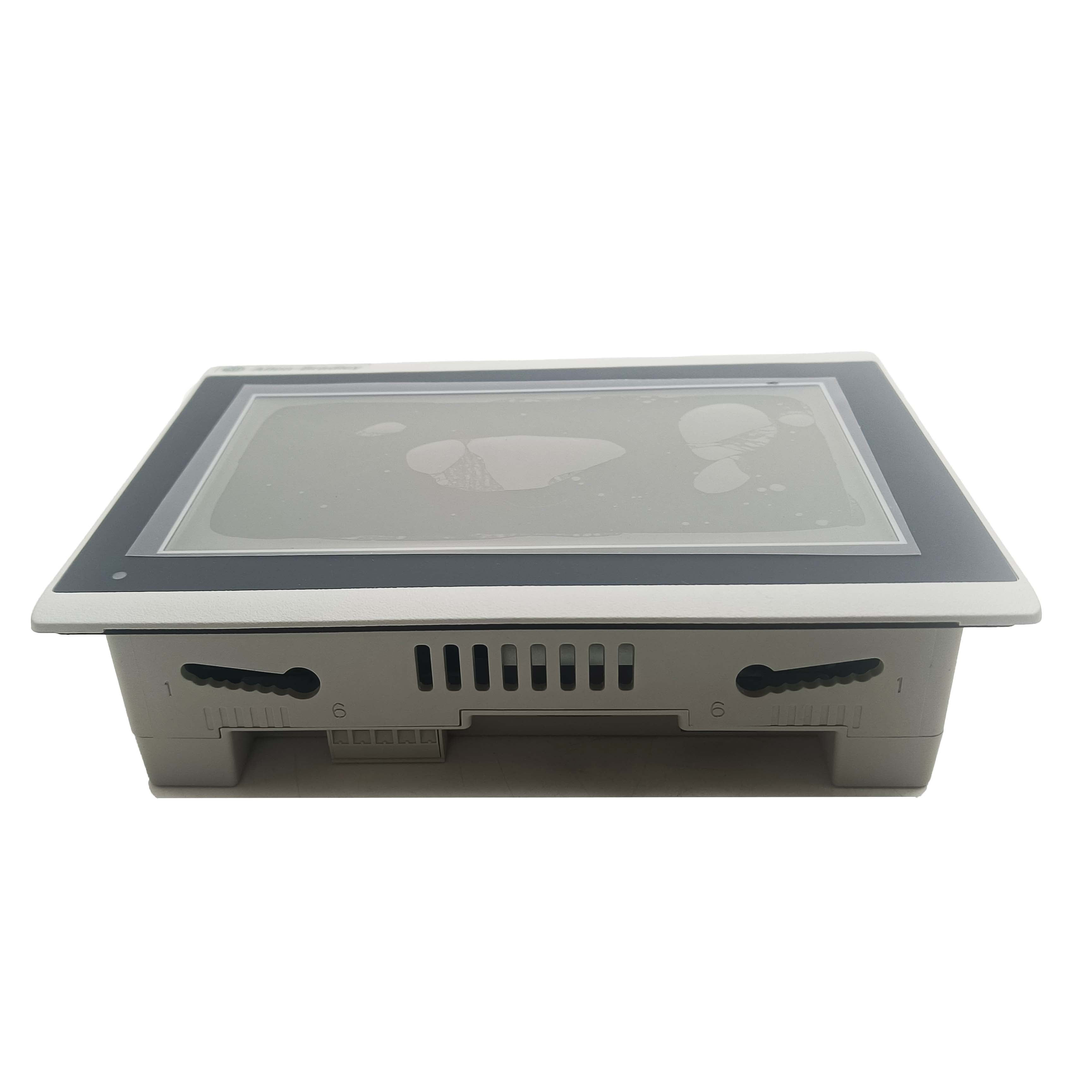
PanelView Plus 6 vs Plus 7: Should You Upgrade?
Rockwell discontinued PanelView Plus 6 from active production in 2018 — but the installed base is still huge. Walk into any plant built between 2010 and 2016 and Plus 6 is on the wall, running fine, doing the same job it did on day one. The question for OEMs and maintenance teams isn't whether Plus 7 is "better" — it usually is on paper — but whether the upgrade is worth doing now, or whether the existing Plus 6 has enough life left to defer the decision. Here's what's actually different between the two, and how the migration plays out in real installations.
1. Where Each Fits in the AB HMI Timeline
PanelView Plus 6 launched around 2009 as Rockwell's mainstream HMI platform. It carried the standard 4:3 aspect ratio and ran on Windows CE 6.0 with FactoryTalk View ME runtime. The platform served well over the following decade — millions of units deployed across discrete manufacturing, process industries, and OEM builds.
PanelView Plus 7 arrived around 2014 as the successor. Rockwell split the line into two tiers: Plus 7 Standard for general industrial applications, and Plus 7 Performance with a more capable ARM-based processor and expanded memory for graphics-intensive applications. Wide-screen displays (16:9, 16:10) became the default. Networking and security capabilities were significantly expanded.
In June 2018 Plus 6 entered end-of-life status. Rockwell continues to provide limited support for repairs and replacements through the silver-and-bronze service tiers, but new orders moved to Plus 7. Buying or specifying Plus 6 today means either pulling from refurbished inventory or working through dwindling distributor stock.
2. Hardware Comparison
| Spec | PanelView Plus 6 | PanelView Plus 7 Standard | PanelView Plus 7 Performance |
|---|---|---|---|
| Status | End of life (2018) | Current | Current |
| Display sizes | 4", 6", 10", 12", 15", 17" | 4", 7", 9", 12.1", 15.4" | 7", 9", 12.1", 15.4", 19" |
| Aspect ratio | 4:3 throughout | Mostly widescreen 16:9 / 16:10 | Widescreen |
| Processor class | Older ARM / x86 variants | ARM Cortex-A8 | Higher-spec ARM Cortex-A8 |
| Operating system | Windows CE 6.0 | Windows CE 7.0 | Windows CE 7.0 |
| RAM | 128–512 MB depending on model | 512 MB | 1 GB |
| Display brightness | Standard industrial | Brighter, wider viewing angle | Brighter still |
| Touchscreen | Resistive | Resistive (most models) | Resistive |
| Ethernet ports | One | Two on Performance models | Two |
| USB ports | USB 2.0 | USB 2.0 (typically more ports) | USB 2.0 |
| SD card | Yes | Yes | Yes |
The widescreen aspect ratio change is the most visible upgrade — and the one that creates the most work when migrating an existing project. A 10" 4:3 Plus 6 screen layout doesn't drop straight into a 9" 16:9 Plus 7 without some re-design of the graphical layout.
3. Software, Networking, and Security
This is where Plus 7 opens up the bigger gap.
Plus 6 runs FactoryTalk View ME runtime on Windows CE 6.0. Networking is functional — Ethernet/IP, Modbus, serial protocols — but limited by the era. Cybersecurity features are basic. The HTTPS protocol is not natively supported on most Plus 6 builds.
Plus 7 includes substantially modernized capability:
- HTTPS and TLS support for secure web access and remote viewing
- FactoryTalk Linx communication driver (replacing older RSLinx)
- IPv6 support alongside IPv4
- Improved diagnostic logging and remote troubleshooting
- Faster boot times (typically 30–50% faster on the same application)
- Better support for FactoryTalk ViewPoint for browser-based access
- Compatibility with newer Studio 5000 Logix Designer versions
- Cybersecurity hardening — closer to current IEC 62443 considerations than Plus 6 was designed for
For plants required to comply with modern cybersecurity policies (TSA Security Directive for pipelines, NERC-CIP for utilities, EU NIS2 directive), the Plus 7's networking and security improvements are not optional features — they're a compliance requirement that Plus 6 can no longer meet.
4. Application Portability Between Platforms
The good news: FactoryTalk View ME applications are mostly portable from Plus 6 to Plus 7. The application file format is similar, tag databases transfer directly, and most graphical objects render correctly on the new platform.
The complications you actually run into:
- Screen layout — 4:3 to 16:9 aspect changes mean some screen designs need re-arrangement
- Communication settings — connection parameters often need updating, particularly if migrating from RSLinx to FactoryTalk Linx
- Custom ActiveX components — older custom controls may not run on Windows CE 7.0
- Macros and scripts — VBA-style scripts typically port directly; more complex automation may need testing
- Print and report functions — printer drivers and PDF generation may need re-configuration
- Trend chart history — depending on the data logging method, historical data may not transfer
Realistic migration time for a moderately complex HMI application: 1–3 days of engineering work per HMI, plus FAT testing.
5. Should You Upgrade? A Decision Framework
Six questions, in this order:
Question 1 — Is the Plus 6 still functional today?
If yes → no immediate emergency. Plan a migration but don't panic.
If no → upgrade decision is forced. Buy the replacement Plus 7 and migrate now.
Question 2 — What's the support situation on your Plus 6 fleet?
Inside the silver service window (2018–2028) → repairs available but at increasing cost.
Outside the warranty window → next failure becomes either a Plus 7 swap or a refurb Plus 6 from third-party inventory.
Question 3 — Do your security requirements still allow Plus 6?
NERC-CIP, IEC 62443 compliance, TSA cyber directive, EU NIS2 → Plus 6 will probably not meet modern requirements. Plus 7 needed.
Internal industrial network only, no compliance pressure → Plus 6 still serviceable.
Question 4 — Are you on a current Studio 5000 / FactoryTalk version?
Yes → Plus 7 integrates cleanly. Sticking with older Plus 6 means maintaining older engineering software too.
Legacy software locked in → Plus 6 may actually be the easier choice short-term.
Question 5 — How much HMI design work would a migration require?
Simple displays, few screens → Plus 7 migration is straightforward.
Complex, heavily customized HMI with VBA scripts and ActiveX → budget engineering time accordingly.
Question 6 — When is the next planned outage?
Major shutdown coming up → plan the swap during the outage window.
No planned outage in the next 12 months → defer or do unit-by-unit on failure.
If three or more answers point toward migration, do it now. Two or fewer → defer and plan.
6. Upgrade and Migration Guide
When you do migrate, the firmware step is where most projects hit problems. The PanelView Plus 7 firmware upgrade process is straightforward but has well-known failure modes worth planning for.
Pre-migration checklist
- Back up the existing Plus 6 application — both the runtime (.MER) and the source (.APA) files
- Document all communication settings (IP addresses, PLC paths, driver configuration)
- Photograph the current screen layouts for reference during re-layout work
- Confirm the Plus 7 model number matches the project scope (size, performance tier, network configuration)
- Download the correct firmware from Rockwell for your specific Plus 7 sub-model
Five common firmware upgrade pitfalls
1. Upgrade failure or interruption. The single biggest cause of failed Plus 7 firmware updates. Triggers: unstable power supply, momentary power loss during the flash write, serial or Ethernet communication interruption, SD card read/write errors, or a poorly seated SD card. The result is incomplete firmware write — the HMI won't boot. Mitigation: use a stable power source (UPS-backed if possible), don't interrupt the cable connection during upgrade, format the SD card to FAT32 before use, and verify card seating.
2. Firmware version incompatibility. PanelView Plus 7 has multiple sub-models with different displays, resolutions, and processor revisions. Using firmware from the wrong sub-model causes the system to fail to start or function abnormally. Mitigation: download firmware from Rockwell's website based on your specific model number, not a generic "Plus 7" package.
3. Bootloader version too low. The bootloader is what initiates the main firmware load. An outdated bootloader may not recognize newer firmware formats. The correct upgrade sequence is: upgrade bootloader to latest version first, then upgrade main firmware, then restore project files. Rockwell's FlashLoader tool handles the bootloader update if needed.
4. File system corruption. If power is interrupted during upgrade, the SD card file system can corrupt. Symptoms: device fails to recognize SD card, "File System Corrupted" error on startup, project files won't load. Recovery: in Linux, fsck -y /dev/mmcblk0p1 repairs the SD card file system. In Windows, the chkdsk tool serves the same purpose. Always image the SD card before attempting repair.
5. Touch screen or display anomalies post-upgrade. Display resolution mismatch, touch coordinate offset, or layout disorder after a successful upgrade. Usually means the project was designed for a different display configuration. Re-design specific screens to match the actual Plus 7 display dimensions, or restore the original project version.
Standard migration procedure
- Back up Plus 6 application and document configuration
- Power off, label all cables, disconnect Plus 6
- Physically install Plus 7 in same panel cutout (verify cutout dimensions — Plus 7 sizes differ from Plus 6)
- Run latest bootloader update via FlashLoader if needed
- Apply correct firmware for the specific Plus 7 sub-model
- Import the FactoryTalk View ME application
- Update communication driver to FactoryTalk Linx
- Re-arrange graphical layouts for new aspect ratio where needed
- FAT test against PLC offline
- Site commissioning during a planned production window
7. Field Case — Plus 6 to Plus 7 Migration on a Packaging Line
A beverage packaging plant in the Midwest US had three 10" PanelView Plus 6 units running its filling and capping lines, installed in 2012. By 2024, one had developed an intermittent touchscreen response issue and another was showing a fading backlight. With Plus 6 already in EOL status, the engineering team decided to upgrade all three to Plus 7 during the year's planned maintenance shutdown.
Pre-shutdown work (2 weeks):
- Backed up all three ME applications
- Documented every PLC tag, communication route, and screen layout
- Specified 10.4" Plus 7 Standard units to maintain the panel cutout dimensions
- Pre-loaded FactoryTalk View ME applications into the new HMIs
- Re-arranged three primary screens for the new aspect ratio
Migration day:
- Total downtime per HMI: 90 minutes (including verification)
- All three units were physically swapped in series during the same maintenance window
- One firmware upgrade required a bootloader update first — caught during pre-loading, not in the field
Issues encountered:
- One HMI had an unrecognized SD card after firmware upgrade. Cause: card formatted FAT32 but with cluster size that the bootloader didn't accept. Reformatted with 4 KB cluster, problem cleared.
- A custom VBA macro for production counter reset needed minor syntax adjustment for Windows CE 7.0 runtime.
- One screen using a third-party ActiveX gauge didn't render. Replaced with a native FactoryTalk View object.
Total project cost: approximately 35% of the original Plus 6 install cost three years earlier — substantially lower than expected because the engineering team did the homework in advance.
Post-migration benefits noted by operators:
- Faster boot (about 18 seconds vs. ~30 on Plus 6)
- Brighter screen visible from further across the line
- Smoother touch response
8. FAQ
Q: Can my Plus 6 application run directly on Plus 7 without modification?
Mostly yes — FactoryTalk View ME applications are portable. Expect to re-arrange screen layouts for the new aspect ratio and update communication settings to FactoryTalk Linx.
Q: What happens if I just keep running Plus 6 instead of upgrading?
The hardware continues to function. Repair availability shrinks as parts become harder to source, and cybersecurity / compliance gaps will widen. Plan for unit-by-unit replacement on failure.
Q: Is the Plus 7 Performance worth the extra cost over Plus 7 Standard?
For simple displays with a few screens and standard graphics → no, Standard is sufficient. For graphics-heavy HMIs, trend displays with many data points, or applications running browser-based ViewPoint, the Performance tier's extra memory and CPU pay back.
Q: Will my existing FactoryTalk View Studio software work for Plus 7 projects?
You'll need a current version of FactoryTalk View Studio Machine Edition (ME) — version 8.0 or later supports Plus 7 fully. Older versions may import but won't expose all Plus 7 features.
Q: How long does a Plus 6 to Plus 7 migration typically take per unit?
Pre-engineering and screen re-layout: 1–3 days depending on complexity. On-site swap: 1–2 hours per unit. Plan a clean shutdown window rather than trying to do this during production.
-
Posted in
Technical knowledge