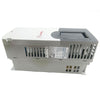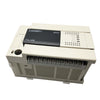
Mitsubishi PLC FX2N-16EYR-ES/UL Output Extension Module
Mitsubishi PLC FX2N-16EYR-ES/UL
The Mitsubishi PLC FX2N-16EYR-ES/UL is a commonly used digital output module in industrial automation control. This module is part of the Mitsubishi FX2N series programmable logic controllers and features sixteen relay outputs, suitable for various industrial control scenarios. The module will be introduced below from several aspects.
I. Product Overview
The FX2N-16EYR-ES/UL is a sixteen-point relay output module using relay output. This module needs to be used in conjunction with the FX2N series programmable logic controller and cannot work independently. The module connects to the main unit via an extension cable to form a complete control system. Each output point of the module is controlled by relay contacts and can be connected to AC or DC loads. The module is designed to meet the requirements of industrial environments and has good anti-interference capabilities and stability.
II. Technical Specifications
The module's rated voltage is 24V DC, and the innovative load current of each output point is 2A. The relay output method allows direct control of loads up to 250V AC or 30V DC. Each output point of the module is equipped with a corresponding status indicator light, which can intuitively display the output status. The module consumes approximately 8 watts of power and draws power from the main unit via an extension cable. The module is mounted on a DIN rail, conforming to DIN standard rail mounting specifications. The module's housing is made of plastic and has flame-retardant properties. The module weighs approximately 0.3 kg and its dimensions conform to standard module specifications.

III. Installation and Wiring
Module installation must follow the relevant specifications. First, ensure the main unit power is off. Then, place the module on the DIN rail and press the clips on the bottom of the module to secure it. When connecting the extension cable, pay attention to the direction and ensure the connector is fully inserted and locked. Use appropriate wire gauges for wiring; 0.5 to 1.5 square millimeter wires are recommended. Each output point has a corresponding terminal block, clearly labeled. After wiring, check all connections for tightness to avoid loose connections or short circuits. The module's terminal blocks are neatly arranged for easy wiring. The installation environment should be kept clean, avoiding dust and corrosive gases.
IV. Parameter Settings
Module parameter settings are completed using programming software. In the programming software, basic parameters of the output points need to be set, including output mode and response time. The output mode can be normally open or normally closed, selected according to actual control requirements. Response time includes output delay time and recovery time; these parameters affect control accuracy. The module also supports output hold functionality, maintaining the current output state in case of power failure. After all parameters are set, they need to be downloaded to the main unit, and the settings should be confirmed by the running indicator light. Parameter settings should be combined with actual control requirements to avoid unreasonable settings affecting system operation.
V. Application Scenarios
This module is suitable for various industrial control applications. In automated production lines, it can control equipment such as solenoid valves, contactors, and indicator lights. In mechanical equipment control, it can be used for motor start/stop control, heating control, etc. In environmental control systems, it can control the operation of equipment such as fans and pumps. Due to its relay output method, this module is particularly suitable for applications requiring isolated control. The module's sixteen-point output design can meet the needs of medium-sized control systems. In practical applications, appropriate protection measures, such as fuses and surge absorbers, need to be selected according to the load characteristics.

-
Posted in
CNC Parts In Promotion